
Video editing has become very popular in recent years. Many creators make videos for social media platforms like Instagram, YouTube, TikTok, and Facebook. Good visuals are important, but audio quality is just as important as video quality. If your sound is not clear, your audience may stop watching your video. That is why learning Audio Editing and Mixing Alight Motion is very useful for every video creator.
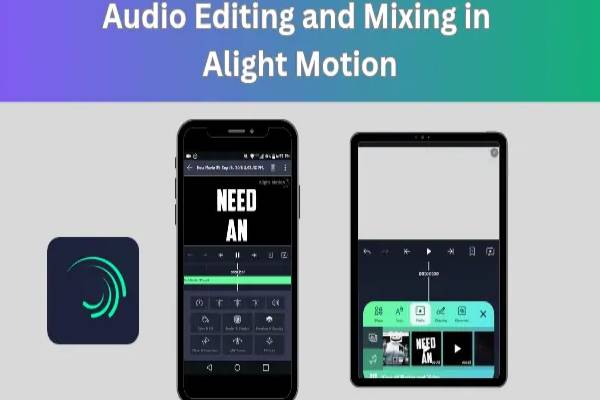
Alight Motion is one of the most powerful mobile video editing apps. It is known for motion graphics, animation, and visual effects. But many people do not realize that it also offers strong audio editing features. With the help of Audio Editing and Mixing Alight Motion, you can adjust sound levels, add music, synchronize beats, remove unwanted noise, and mix multiple audio tracks easily.
Whether you are making a vlog, cinematic video, tutorial, or short reels, proper audio editing makes your content look more professional. Alight Motion allows creators to work with multiple audio layers, adjust volume levels, add fade effects, and sync sound with animations.
In this complete guide, you will learn everything about Audio Editing and Mixing Alight Motion, including tools, techniques, and tips that beginners can easily understand. By the end of this article, you will know how to create smooth and professional sound effects in your videos using Alight Motion.
Understanding Audio Editing Tools In Alight Motion
Before starting Audio Editing and Mixing Alight Motion, it is important to understand the basic audio tools available in the app. These tools help you control sound quality and make your video more engaging.
The first tool you will see is the audio layer. When you import music or sound effects into your project, it appears as an audio layer in the timeline. This layer shows the waveform of the sound, which helps you identify loud and quiet parts of the audio.
Another important tool is the volume control option. This feature allows you to increase or decrease the sound level of your audio track. For example, if your background music is too loud and hides your voice, you can reduce its volume.
The split tool is also very helpful for audio editing. Sometimes you only need a small part of a song or sound effect. Using the split option, you can cut the audio into smaller sections and remove unnecessary parts.
Alight Motion also offers fade-in and fade-out effects. These effects make the audio start slowly and end smoothly. Without these effects, your sound may start or stop suddenly, which can feel unprofessional.
Another useful feature is audio synchronization. This helps you match your audio perfectly with video clips or animations. For example, if you want a sound effect to play exactly when a transition appears, you can align the audio with the frame.
Learning these basic tools is the first step toward mastering Audio Editing and Mixing Alight Motion. Once you understand these features, editing sound will become much easier and more creative.
Importing Audio Files Into Alight Motion
To start Audio Editing and Mixing Alight Motion, the first step is importing audio files into your project. Alight Motion allows you to add different types of audio, such as music, voice recordings, and sound effects.
When you create a new project in Alight Motion, you will see the add media option. From there, you can choose audio files stored on your device. After selecting the file, it will appear in your project timeline as an audio track.
You can add multiple audio tracks to a single project. For example, you may add background music, voice narration, and sound effects all together. This makes your video more dynamic and professional.
Another useful method is recording voice-over directly inside the app. If you want to explain something in your video, you can record your voice and add it as a separate audio layer. This feature is very useful for tutorials and educational videos.
Once the audio file is imported, you can move it anywhere in the timeline. This allows you to match the sound with the correct video scene. For example, if a character jumps in the video, you can place a jump sound effect exactly at that moment.
Sometimes creators also import beat music for transitions and edits. In this case, the waveform helps you identify the beats so that you can sync your cuts with the music rhythm.
Importing audio correctly is a very important step in Audio Editing and Mixing Alight Motion. If your sound is properly placed in the timeline, the rest of the editing process becomes much smoother.
Adjusting Audio Levels For Balanced Sound
One of the most important parts of Audio Editing and Mixing Alight Motion is adjusting audio levels. Balanced sound makes your video easier to watch and more professional.
When you add multiple audio tracks, each one has its own volume level. If one track is too loud and another is too quiet, the overall audio experience becomes unpleasant. That is why balancing sound levels is very important.
Alight Motion provides a volume adjustment slider for every audio layer. You can increase or decrease the sound level depending on your needs. For example, background music should usually be lower than voice narration so the audience can clearly hear the speaker.
Another helpful feature is keyframe volume control. This allows you to change volume at different points in the audio track. For example, when someone is speaking, you can reduce the music volume. When the speaking stops, you can increase the music again.
Using keyframes gives you better control over the sound mix. Many professional editors use this technique to create smooth transitions between voice and music.
It is also important to avoid audio clipping. Clipping happens when the sound level is too high and becomes distorted. Keeping the volume within a safe range helps maintain clear sound quality.
By carefully adjusting audio levels, you can improve the overall quality of your videos. Proper sound balance is a key element of successful Audio Editing and Mixing Alight Motion.
Using Fade Effects For Smooth Audio
Fade effects are very important in Audio Editing and Mixing Alight Motion because they make your audio transitions smooth and natural.
When an audio track starts suddenly, it can feel harsh to the listener. Similarly, if the audio stops abruptly, it can make the video feel unfinished. Fade effects solve this problem by gradually increasing or decreasing the sound.
The fade-in effect slowly increases the audio volume at the beginning of a track. This makes the sound enter smoothly instead of starting loudly. Fade-in is commonly used for background music at the beginning of videos.
The fade-out effect works in the opposite way. It gradually reduces the volume until the sound disappears completely. This technique is useful at the end of videos or when switching between scenes.
In Alight Motion, you can create fade effects using keyframes on the volume control. By placing two keyframes and adjusting the volume levels, you can easily create smooth audio transitions.
Fade effects are also useful when combining multiple audio tracks. For example, if one song is ending and another is starting, you can fade out the first track and fade in the second track. This creates a seamless music transition.
Many professional video editors use fade effects to make their projects look polished. Learning this technique will greatly improve your Audio Editing and Mixing Alight Motion skills.
Mixing Multiple Audio Tracks Professionally
Mixing multiple tracks is the advanced stage of Audio Editing and Mixing Alight Motion. This process combines different audio elements into a single balanced sound experience.
A typical video may include several types of audio tracks, such as background music, dialogue, sound effects, and ambient sounds. Each of these elements plays a different role in the final video.
For example, background music creates mood and emotion. Dialogue provides information or storytelling. Sound effects add realism and excitement. When these elements are mixed properly, the video becomes much more engaging.
The key to good audio mixing is balance and clarity. Background music should support the video but should not overpower the voice. Sound effects should enhance the scene without becoming distracting.
Alight Motion allows you to organize multiple audio layers in the timeline. You can adjust the position, volume, and duration of each track to create the perfect mix.
Another useful technique is synchronizing sound with visuals. For example, when a transition appears in the video, adding a matching sound effect makes the edit feel more dynamic.
Good audio mixing requires practice and attention to detail. But once you master this skill, your videos will sound much more professional. That is why learning Audio Editing and Mixing Alight Motion is essential for serious content creators.
Tips For Better Audio Editing Results
Improving your Audio Editing and Mixing Alight Motion skills requires practice and smart techniques. Here are some helpful tips that can make your audio editing process easier and more effective.
First, always start with high-quality audio files. If the original audio is noisy or low quality, editing cannot completely fix it. Using clear recordings will make your final video sound much better.
Second, try to keep audio levels consistent throughout the video. Sudden changes in volume can be distracting for viewers. Adjust the sound levels carefully so the audio remains balanced.
Third, use sound effects wisely. Too many effects can make your video feel messy. Instead, add sound effects only when they improve the visual moment.
Another helpful tip is matching audio with video rhythm. For example, if your video has fast transitions, using music with strong beats can make the editing more impactful.
It is also useful to preview your audio multiple times before exporting the final video. Listening carefully helps you identify small issues like sudden volume spikes or mismatched sound effects.
Finally, keep experimenting with different techniques. The more you practice Audio Editing and Mixing Alight Motion, the better your editing skills will become.